voestalpine Railway Systems
UNILIGHT LED PPI
Controllers, recorders & signal conditioning
Indicators & totalisers
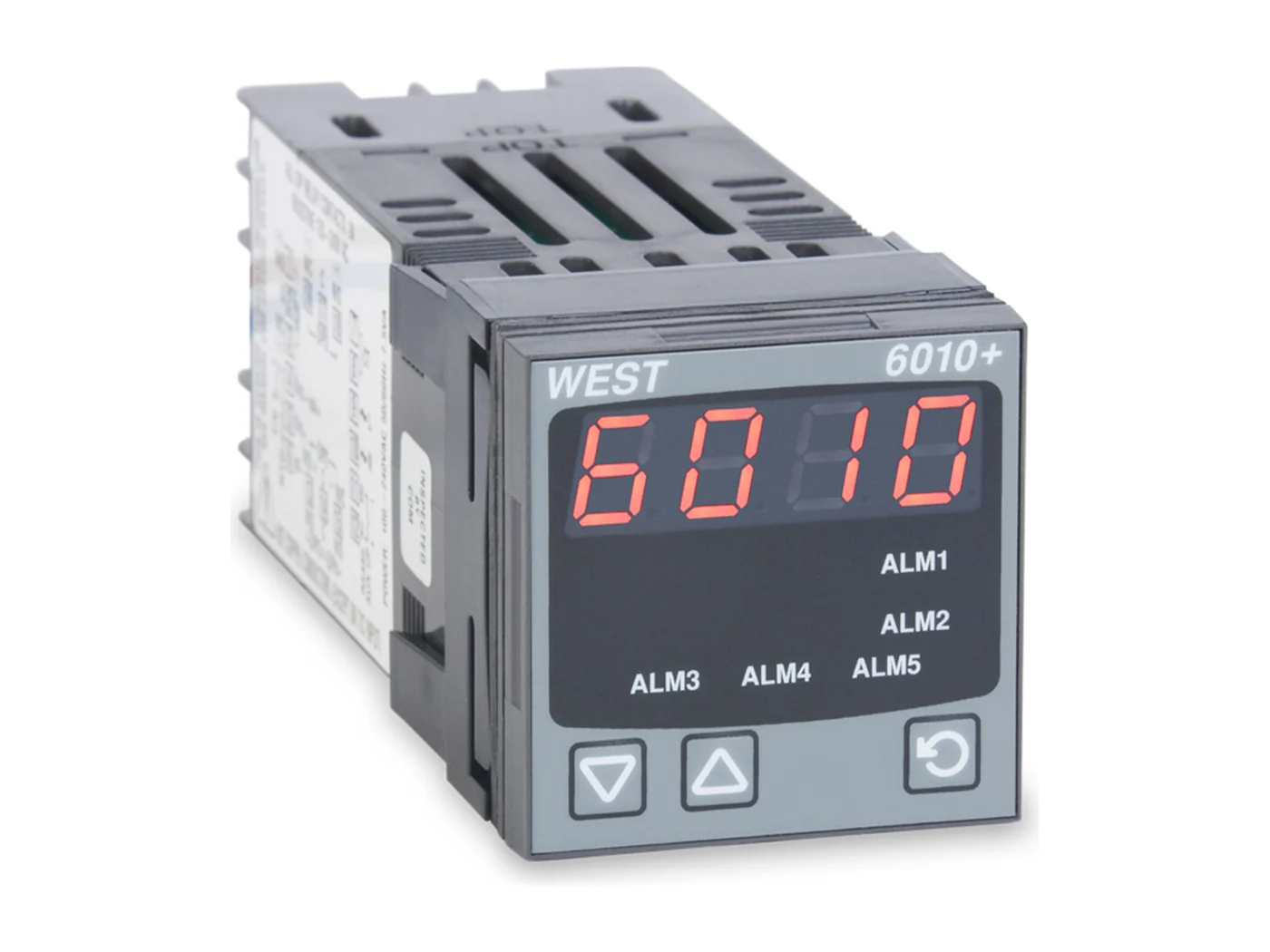
The 6010+ is a 1/16 DIN digital panel process indicator with a high-contrast, high-visibility 4-digit LED display. It is designed for clear monitoring in a wide range of temperature and process indication applications, where a measured value has to be shown on a panel and, if required, used for alarms or passed on to other equipment.
The indicator has a universal input that accepts thermocouples, RTDs and DC current and voltage signals. Sampling is four times per second with 14-bit resolution, and accuracy is ±0.1 % of the input range ±1 least significant digit. The display is a single-line, 4-digit LED in fixed red or green.
Up to four outputs can be fitted using plug-in option boards. Option slot 1 takes a relay, SSR driver, triac or linear mA/V output; option slot 2 a relay, dual relay, SSR driver, triac or linear output; option slot 3 a relay, linear output or a transmitter power supply. Slot A holds RS-485 serial communication or a digital input. The outputs can be used as alarm relays, for retransmission of the process value or to supply a connected transmitter. The instrument recognises the fitted option modules itself.
Configuration is jumperless and is supported by a PC configurator. Communication over RS-485 uses Modbus or ASCII protocol.
The standard supply is 100–240 V AC, with a 24–48 V AC/DC low-voltage option. The front panel is sealed to IP66. The 6010+ housing measures 48 × 48 mm with a depth of 45 mm and has a display height of about 10 mm; the related 8010 model is a 96 × 96 mm version with a 13 mm display. The indicator carries CE, UL and ULC approvals.
Listed applications are temperature indication and process indication.
To configure the right instrument, please state the input type and range, display colour, supply voltage and the required outputs and communication options.
P6011Z2000000, P6011Z2110000, P6011Z2110020, P6011Z2700001, P6011Z2100000, P6011Z2710000, P6011Z2090000, P6011Z2117020, P6011Z2210001, P6011Z2798020, P6011Z2100020, P6011Z2178000, P6011Z2000001, P6011Z2017020, P6011Z2708020, P6011Z2118100, P6011Z2117001, P6011Z2000020, P6011Z2111000, P6011Z2800000, P6011Z2000100, P6011Z2210020, P6011Z3100020, P6011Z2710100, P6011Z2700000
List input types and the destination of each output. Match panel cutout, supply and communication options before choosing a replacement.
For an installed instrument, copy the complete ordering code and its suffixes from the nameplate. Identify the part that will remain in service and the part that needs to be replaced. A photograph of the connection face or terminal markings helps resolve differences between versions that share the same housing.
For a new installation, describe what the instrument must measure or control and where the reading will be used. Give the normal operating conditions separately from short peaks. Include units with every numerical value. A drawing with the available space, orientation and access for removal gives the supplier a practical starting point.
Add the quantity for each position and identify any accessories that belong with it. Where a particular drawing, material certificate or calibration record is required, mention it with the line item. Submit the list with the destination country so that the response can cover the requested configuration and delivery.